> ## Documentation Index
> Fetch the complete documentation index at: https://www.propeldata.com/llms.txt
> Use this file to discover all available pages before exploring further.
# Choosing a Propeller
> Guide to selecting the optimal Propeller size for your use case
This guide will help you select the right Propeller size for your specific use case, ensuring optimal performance for your queries.
## Step 1: Create a representative query
To accurately assess Propeller performance, you need to create a query that closely represents your production workload.
To create a representative query:
Choose a Data Pool with the same number of records as your production environment:
* This ensures your test accurately reflects real-world performance.
Use the appropriate tool to create your query:
* For GraphQL API queries, use the API Playground.
* For SQL queries, use the SQL Console.
Ensure your query includes all elements typical to your use case:
* Add WHERE clauses or filter arguments that match your typical queries.
* Include any JOINs or complex operations you regularly use.
## Step 2: Test different Propeller sizes
Now that you have a representative query, it's time to evaluate different Propeller sizes:
Begin with `P1_X_SMALL`
* If response time is acceptable for your use case, you're all set
* If the query times out or takes too long, proceed to the next step
* Select the next size up of Propeller
* Click **"Run Query"**.
* Repeat until you achieve your desired response time without timeouts
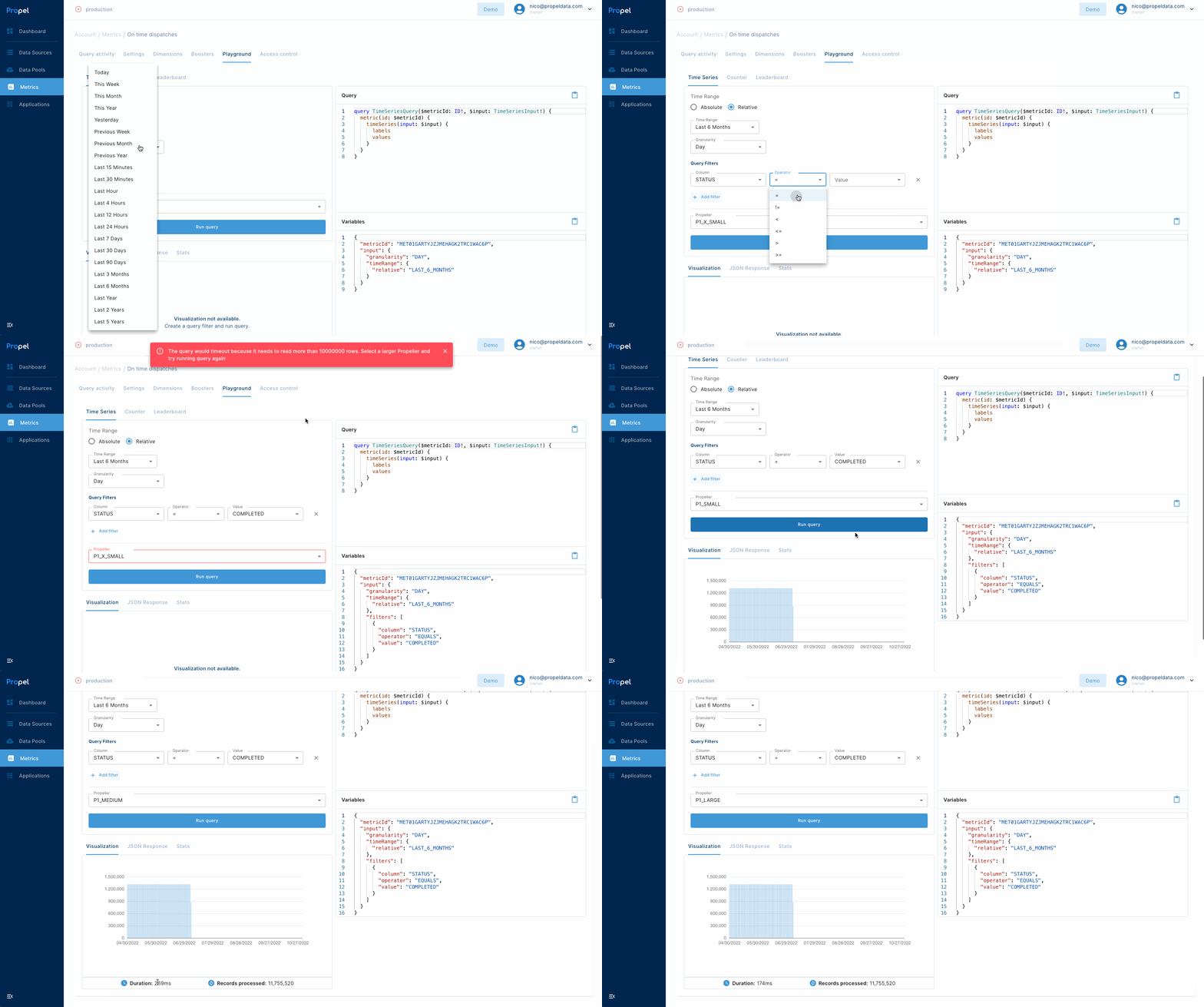 * If the response time is appropriate for your use case, you are good to go. You don't need more query compute power for your app.
* If the query timed out or took too long, return to the previous step and try a larger Propeller size.
By following this process, you'll ensure your queries run efficiently while optimizing costs.
* If the response time is appropriate for your use case, you are good to go. You don't need more query compute power for your app.
* If the query timed out or took too long, return to the previous step and try a larger Propeller size.
By following this process, you'll ensure your queries run efficiently while optimizing costs.