> ## Documentation Index
> Fetch the complete documentation index at: https://www.propeldata.com/llms.txt
> Use this file to discover all available pages before exploring further.
# Airbyte setup guide
> Ingesting data using Airbyte.
This guide covers how to:
1. [Create a Propel Application](#1-create-a-propel-application).
2. [Create the destination in Airbyte](#2-create-a-propel-destination-in-airbyte).
3. [Create your first Airbyte to Propel connector](#3-create-a-new-connection).
4. [Lastly, how to stop Airbyte](#4-stopping-airbyte).
## Prerequisites
To connect Propel to Airbyte, you need the following:
* A [Propel account](https://console.propeldata.com/get-started).
* A Propel Application with the `ADMIN` scope.
***
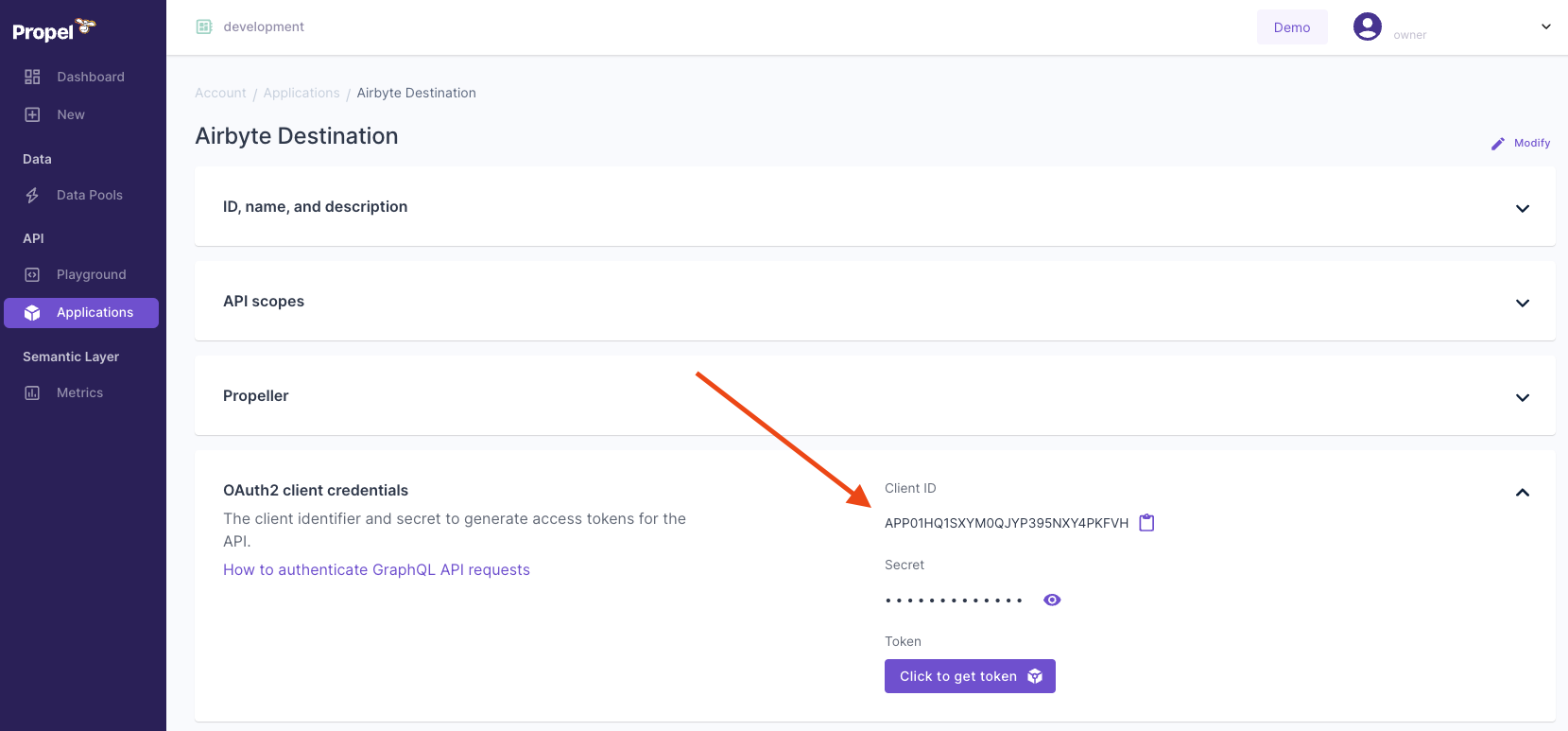
You must create a Propel Application. Propel Applications provide the API credentials, allowing the Airbyte destination to access the Propel API.
Follow the guide to [Create a Propel Application](/docs/applications#creating-an-application).
* Give it a **Unique Name**. For example, 'Airbyte Destination'.
* Provide a **Description**. For example, 'The Airbyte Destination app'.
* In the API scopes section, in the **Scopes** drop-down menu, select the `ADMIN` scope.
* Select a `P1_X_SMALL` Propeller. This is sufficient for Airbyte Applications.
Make a note of the Application ID and secret. You will need them to configure Airbyte.
 Only [Airbyte Open Source](https://docs.airbyte.com/using-airbyte/getting-started/) supports the Propel destination. In this section, you'll learn how to set up Airbyte and connect your Propel destination.
#### Requirements
* Docker Desktop (Docker terms apply)
#### Set up Airbyte locally
1. Install [Docker Desktop](https://www.docker.com/products/docker-desktop/).
2. Clone the Airbyte repo and run the startup script:
```shell theme={"system"}
git clone https://github.com/airbytehq/airbyte.git
cd airbyte
./run-ab-platform.sh
```
3. Open Airbyte in the browser at [http://localhost:8000](http://localhost:8000).
#### Create your first Airbyte to Propel connection
Now that Airbyte is running locally, let's set up the custom Propel destination.
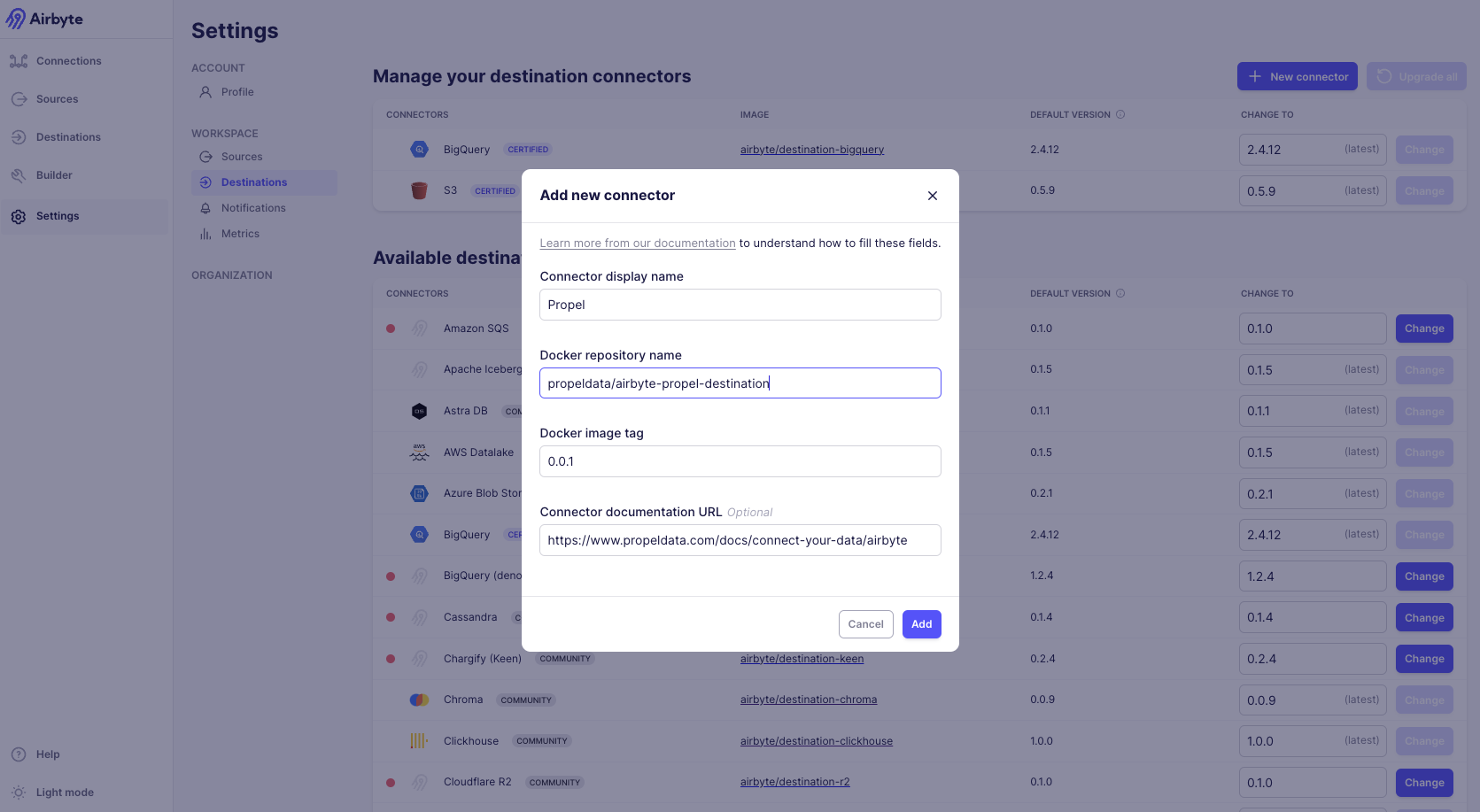
1. In the Airbyte dashboard, click **"Settings"** on the bottom left.
2. Click **"Destinations"** on the left sidebar.
3. Click the **"New connector"** button.
4. Click the **"Add a new Docker connector"** option.
5. Fill in the connector values as follows:
* **Connector display name**: `Propel`
* **Docker repository name**: `propeldata/airbyte-propel-destination`
* **Docker image tag**: `latest`
* **Connector Documentation URL**: `https://www.propeldata.com/docs/ingestion/airbyte`
You can find the [Propel Airbyte destination Dockerhub release page here](https://hub.docker.com/r/propeldata/airbyte-propel-destination).
Only [Airbyte Open Source](https://docs.airbyte.com/using-airbyte/getting-started/) supports the Propel destination. In this section, you'll learn how to set up Airbyte and connect your Propel destination.
#### Requirements
* Docker Desktop (Docker terms apply)
#### Set up Airbyte locally
1. Install [Docker Desktop](https://www.docker.com/products/docker-desktop/).
2. Clone the Airbyte repo and run the startup script:
```shell theme={"system"}
git clone https://github.com/airbytehq/airbyte.git
cd airbyte
./run-ab-platform.sh
```
3. Open Airbyte in the browser at [http://localhost:8000](http://localhost:8000).
#### Create your first Airbyte to Propel connection
Now that Airbyte is running locally, let's set up the custom Propel destination.
1. In the Airbyte dashboard, click **"Settings"** on the bottom left.
2. Click **"Destinations"** on the left sidebar.
3. Click the **"New connector"** button.
4. Click the **"Add a new Docker connector"** option.
5. Fill in the connector values as follows:
* **Connector display name**: `Propel`
* **Docker repository name**: `propeldata/airbyte-propel-destination`
* **Docker image tag**: `latest`
* **Connector Documentation URL**: `https://www.propeldata.com/docs/ingestion/airbyte`
You can find the [Propel Airbyte destination Dockerhub release page here](https://hub.docker.com/r/propeldata/airbyte-propel-destination).
 #### Enter the Propel Application credentials in Airbyte
You're now ready to connect Propel to Airbyte.
1. Enter the Application ID and secret you found in Step 1.
#### Enter the Propel Application credentials in Airbyte
You're now ready to connect Propel to Airbyte.
1. Enter the Application ID and secret you found in Step 1.
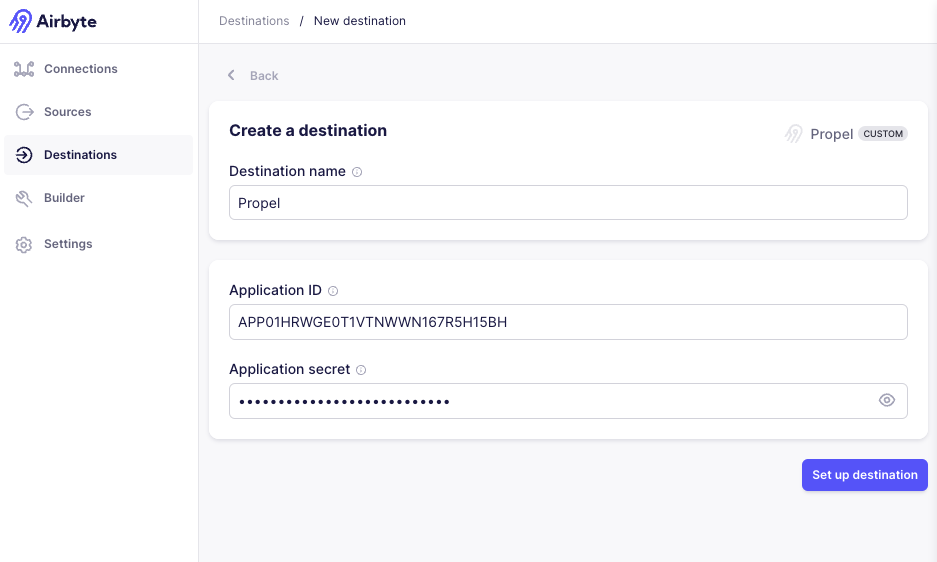 2. Click **"Set up destination"**. You should get a success message that the connection test passed.
Now that the Propel destination is set up, you can create a new connection to sync data from any Airbyte source to Propel.
2. Click **"Set up destination"**. You should get a success message that the connection test passed.
Now that the Propel destination is set up, you can create a new connection to sync data from any Airbyte source to Propel.
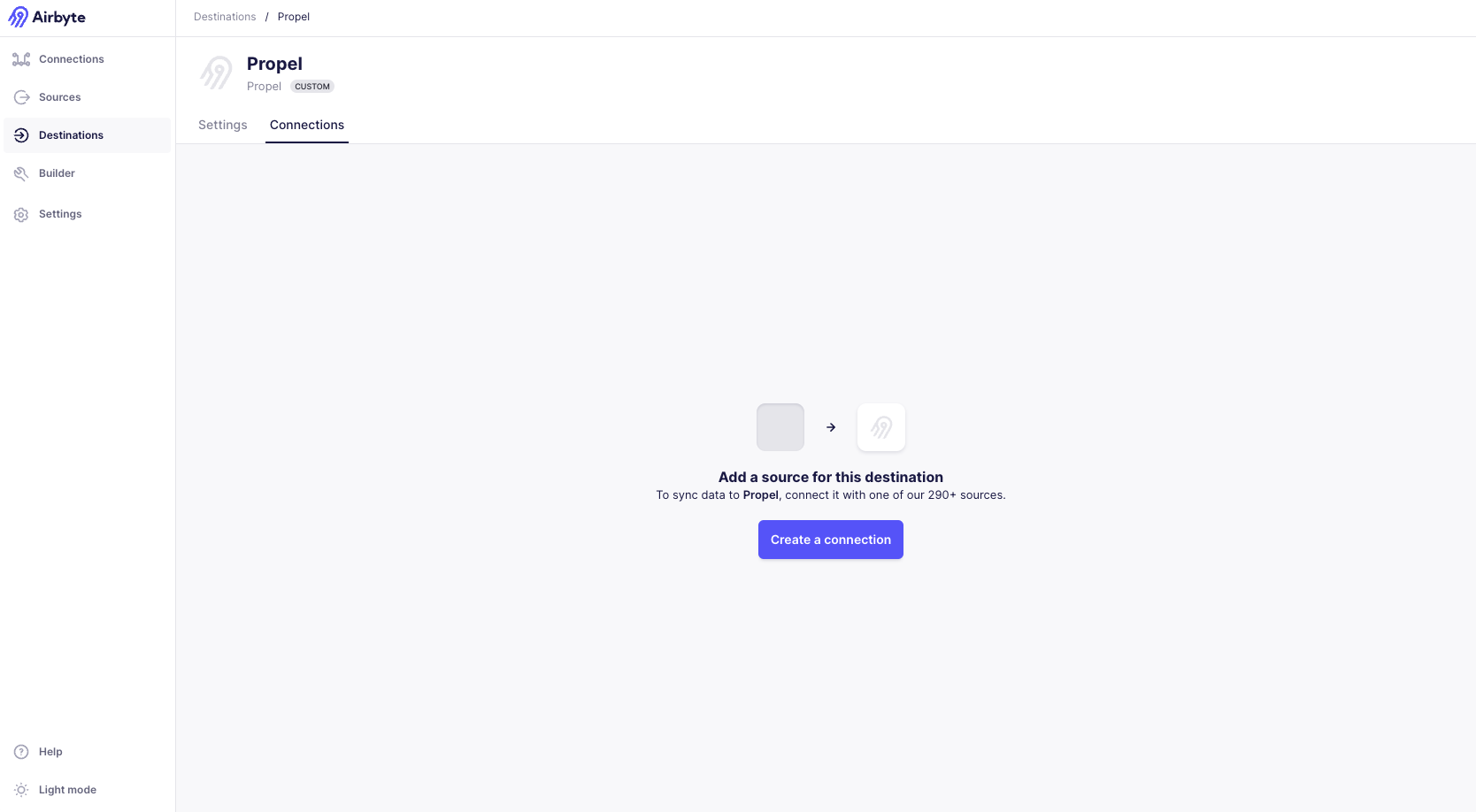 1. Click on **"Create a connection"**.
2. Select the source you want to sync data from.
3. Configure the sync settings.
1. Click on **"Create a connection"**.
2. Select the source you want to sync data from.
3. Configure the sync settings.
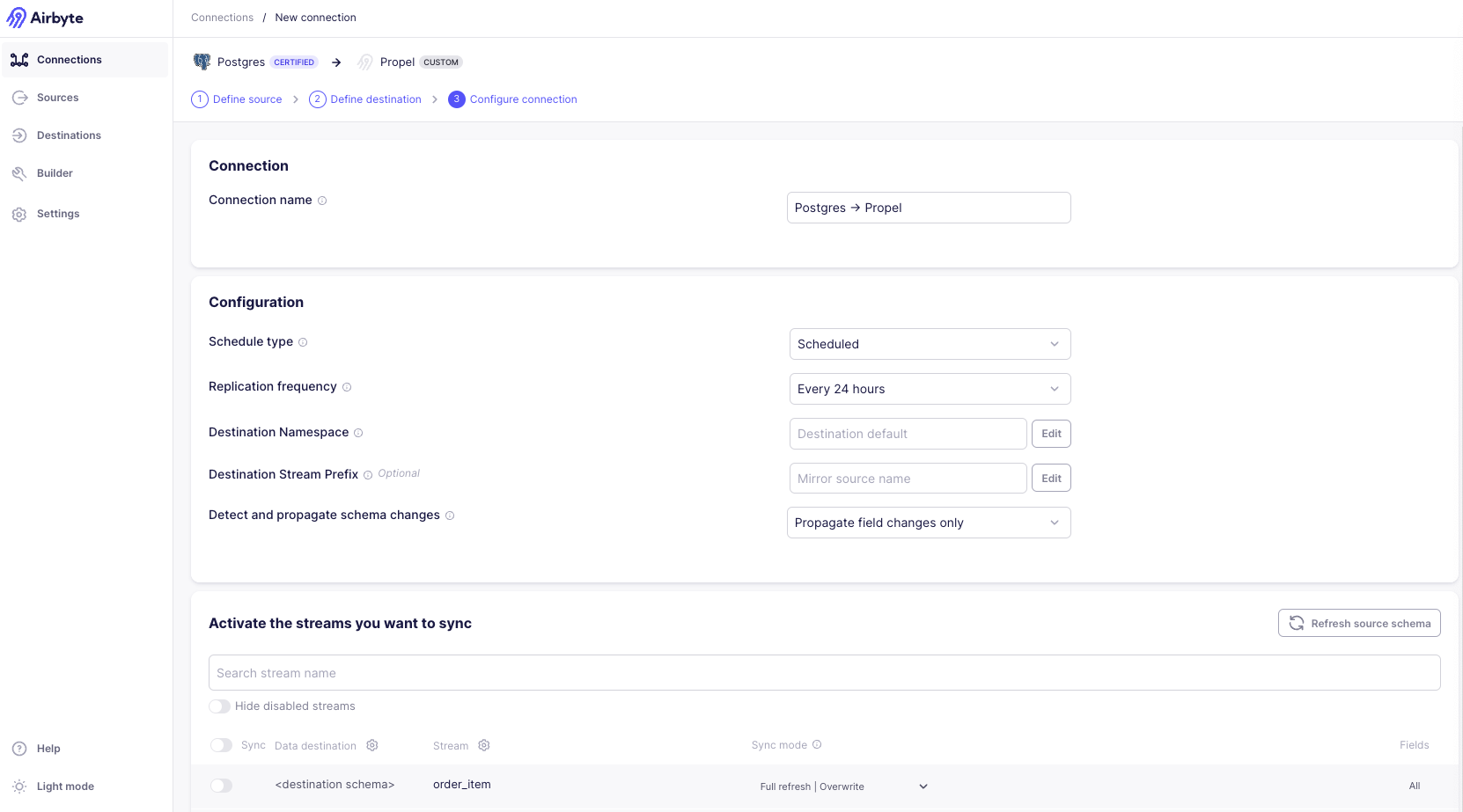 4. Finally, click **"Set up connection"**.
At any point, you can disable any incremental or full syncs by going to the 'Connection' settings page and clicking 'Delete this connection'. This will not touch any of the source or destination data, but will prevent Airbyte from doing any further operations.
4. Finally, click **"Set up connection"**.
At any point, you can disable any incremental or full syncs by going to the 'Connection' settings page and clicking 'Delete this connection'. This will not touch any of the source or destination data, but will prevent Airbyte from doing any further operations.
