> ## Documentation Index
> Fetch the complete documentation index at: https://www.propeldata.com/llms.txt
> Use this file to discover all available pages before exploring further.
# Ingestion
> Easily ingest data into ClickHouse.
## Events and streaming data
Ingest JSON events via HTTP.
Ingest messages from Kafka topics.
Ingest events from Amazon Data Firehose.
Ingest events from Segment.
## Data warehouses and data lakes
Ingest data from Snowflake.
Ingest data from S3.
## Databases
Ingest data from DynamoDB.
## ELT / ETL Platforms
Ingest data using Fivetran.
Ingest data using Airbyte.
Don't see a data source you need or want access to any preview? [Let us know](https://www.propeldata.com/contact).
## Understanding Data Pools
Data Pools are ClickHouse tables with an ingestion pipeline from a data source.
 ### Understanding event-based Data Pools
Event-based data sources like the Webhook Data Pool collect and write events into Data Pools. These Data Pools have a very simple schema:
| Column | Type | Description |
| --------------------- | ----------- | -------------------------------------------------- |
| `_propel_received_at` | `TIMESTAMP` | The timestamp when the event was collected in UTC. |
| `_propel_payload` | `JSON` | The JSON Payload of the event |
During the setup of a Webhook Data Pool, you can optionally unpack top-level or nested keys from the incoming JSON event into specific columns. See the [Webhook Data Pool](/docs/ingestion/webhooks/overview) for more details.
### Understanding data warehouse and data lake-based Data Pools
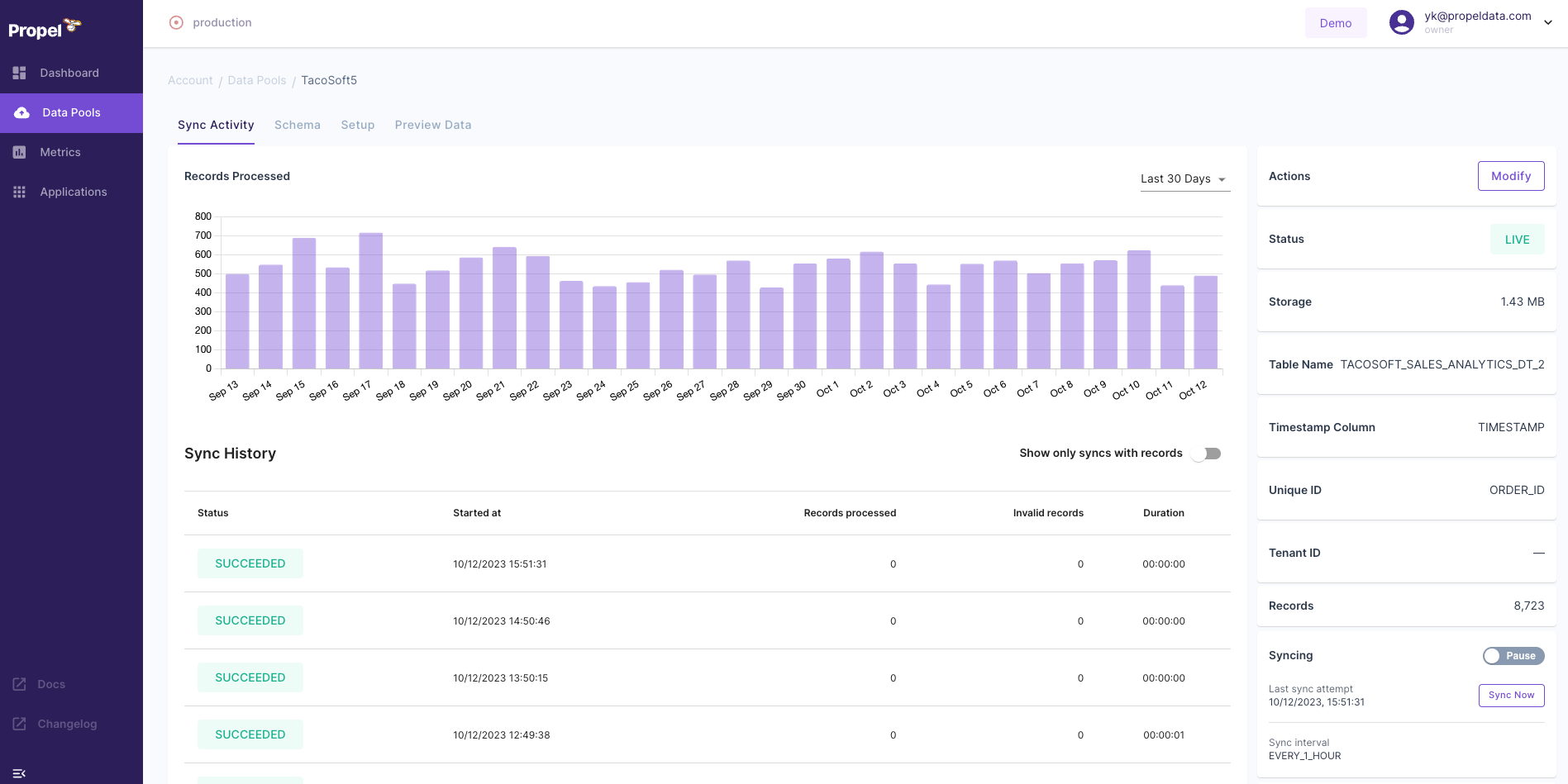
Data warehouses and data lake-based Data Pools, such as Snowflake or Amazon S3 Parquet, synchronize records at a given interval from the source table and write them into Data Pools. You can create multiple Data Pools, one for each table.
Data warehouses and data lake-based Data Pools also offer additional properties that enable you to control their synchronization behavior. These include:
* **Scheduled Syncs:** A Data Pool's sync interval determines how often Propel checks for new data to synchronize. For near real-time applications, the interval can be as short as 1 minute, while for applications with more relaxed data freshness requirements, it can be set to once a day or anything in between.
* **Manually triggered Syncs:** Syncs can be triggered on-demand when a Data Pool's underlying data source has changed, or in order to re-sync the Data Pool from scratch.
* **Pausing and resuming syncing:** Controls whether a Data Pool syncs data or not. When paused, Propel stops synchronizing records to your Data Pool. When resumed, it will start syncing on the configured interval.
## Frequently asked questions
Once data gets to Propel via syncs or events, it is available via the API within a couple of seconds.
The data is stored in the AWS US East 2 region. We are working on expanding our region coverage. If you are interested in using Propel in a different region, please [contact us](https://www.propeldata.com/contact).
As much as you need. Propel does not have any limits on how much data you bring. You should think of the data in Propel as the data you need to serve to your applications.
You can keep data in Propel for as long as you need. For instance, if your application requires data for only 90 days, you can use the Delete API to remove data after 90 days.
### Understanding event-based Data Pools
Event-based data sources like the Webhook Data Pool collect and write events into Data Pools. These Data Pools have a very simple schema:
| Column | Type | Description |
| --------------------- | ----------- | -------------------------------------------------- |
| `_propel_received_at` | `TIMESTAMP` | The timestamp when the event was collected in UTC. |
| `_propel_payload` | `JSON` | The JSON Payload of the event |
During the setup of a Webhook Data Pool, you can optionally unpack top-level or nested keys from the incoming JSON event into specific columns. See the [Webhook Data Pool](/docs/ingestion/webhooks/overview) for more details.
### Understanding data warehouse and data lake-based Data Pools
Data warehouses and data lake-based Data Pools, such as Snowflake or Amazon S3 Parquet, synchronize records at a given interval from the source table and write them into Data Pools. You can create multiple Data Pools, one for each table.
Data warehouses and data lake-based Data Pools also offer additional properties that enable you to control their synchronization behavior. These include:
* **Scheduled Syncs:** A Data Pool's sync interval determines how often Propel checks for new data to synchronize. For near real-time applications, the interval can be as short as 1 minute, while for applications with more relaxed data freshness requirements, it can be set to once a day or anything in between.
* **Manually triggered Syncs:** Syncs can be triggered on-demand when a Data Pool's underlying data source has changed, or in order to re-sync the Data Pool from scratch.
* **Pausing and resuming syncing:** Controls whether a Data Pool syncs data or not. When paused, Propel stops synchronizing records to your Data Pool. When resumed, it will start syncing on the configured interval.
## Frequently asked questions
Once data gets to Propel via syncs or events, it is available via the API within a couple of seconds.
The data is stored in the AWS US East 2 region. We are working on expanding our region coverage. If you are interested in using Propel in a different region, please [contact us](https://www.propeldata.com/contact).
As much as you need. Propel does not have any limits on how much data you bring. You should think of the data in Propel as the data you need to serve to your applications.
You can keep data in Propel for as long as you need. For instance, if your application requires data for only 90 days, you can use the Delete API to remove data after 90 days.