

Request access to Fivetran destination
Contact us if you are interesting in getting early access to the Fivetran destination to sync your data to Propel.
Get started with Fivetran
Step-by-step instructions to connect any Fivetran source to Propel.
Features
Data Pools created with the Fivetran destination are Webhook Data Pools that support the following features:How does the Fivetran destination work?
When syncing a Fivetran source, Propel creates a Webhook Data Pool for each table. For example, a Google Search Console Fivetran source would result in multiple Data Pools: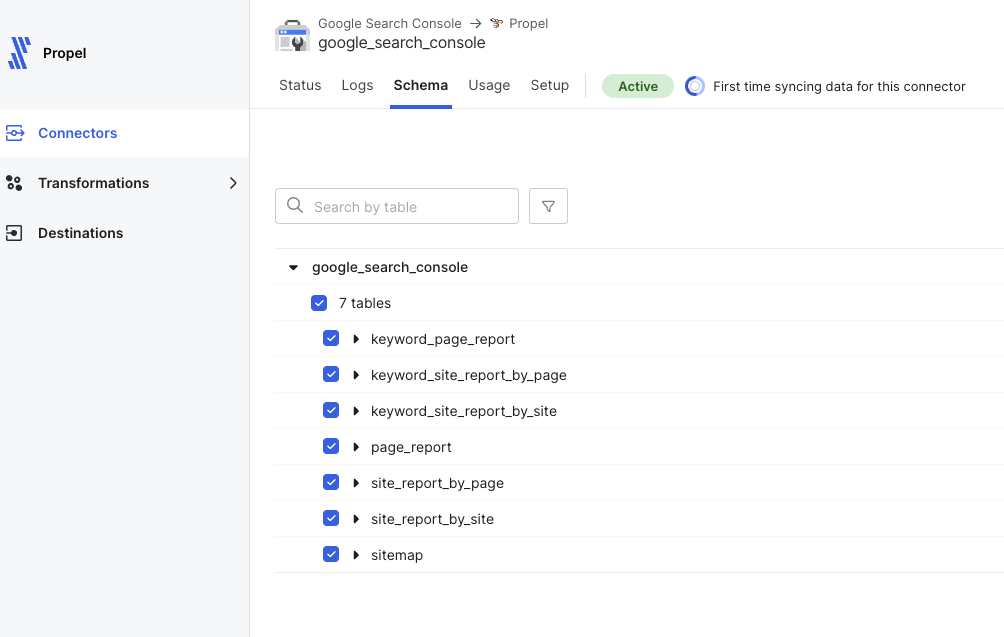
Fivetran performs initial and subsequent syncs based on your configured frequency, sending data to Propel’s Webhook Data Pool API for processing and querying via SQL and API.
Key configurations
- Default Timestamp: First timestamp column or
_propel_received_atif none exists. - Primary Key: Source table’s primary key or a Fivetran-generated unique ID if absent.
- Sort Key: Combination of primary key and default timestamp.
Data handling
- Updates: Identified and applied using the primary key.
- Deletes: Processed based on delete events from Fivetran using the primary key.
Schema changes
Propel automatically adds new columns detected by Fivetran. Column type changes or deletions are not supported due to their breaking nature.Data types
The following table illustrates how we transform your Fivetran data types into Propel-supported types:Transforming data
Once your data is in a Webhook Data Pool, you can use Materialized Views to:- Flatten nested JSON into tabular form
- Flatten JSON array into individual rows
- Combine data from multiple source Data Pools through JOINs
- Calculate new derived columns from existing data
- Perform incremental aggregations
- Sort rows with a different sorting key
- Filter out unnecessary data based on conditions
- De-duplicate rows