

- Flattens nested JSON into tabular form
- Flattens JSON array into individual rows
- Combines data from multiple source Data Pools through JOINs
- Calculates new derived columns from existing data
- Performs incremental aggregations
- Sorts rows with a different sorting key
- Filters out unnecessary data based on conditions
- De-duplicates rows

Illustration of data flowing from a source Data Pool, through a Materialized View, and into a destination Data Pool.
How do Materialized Views work?
Materialized Views in ClickHouse work by automatically executing a specified SQL query over new data inserted into a source Data Pool and writing the query results into a destination Data Pool. When creating a Materialized View, you define a SELECT query that transforms or aggregates data from one or more source Data Pools. You also define a destination Data Pool where the resulting data will be written.
Diagram of (1) an insert to a source Data Pool, (2) the insert triggering a Materialized View, (3) the Materialized View executing its SQL query on the newly inserted data, and (4) the Materialized View's query results being written to the destination Data Pool.
Creating a Materialized View
This section provides step-by-step instructions on creating a Materialized View in the Console, the API, and Terraform.- Console
- API
- Terraform
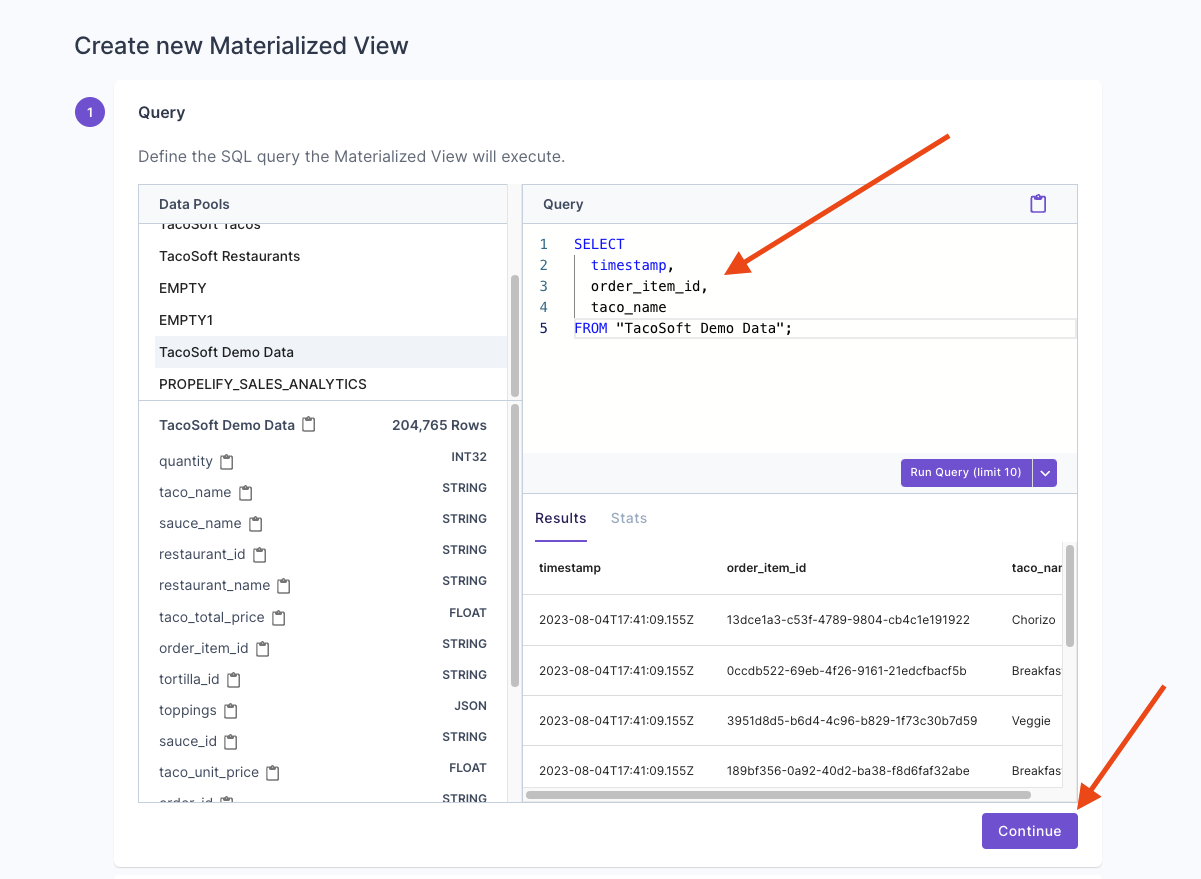
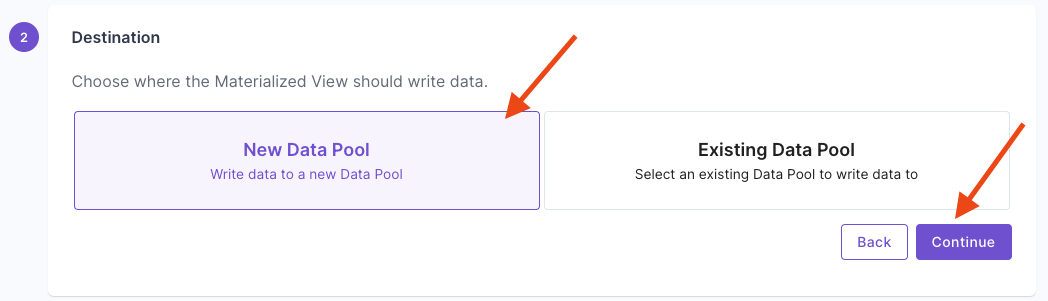
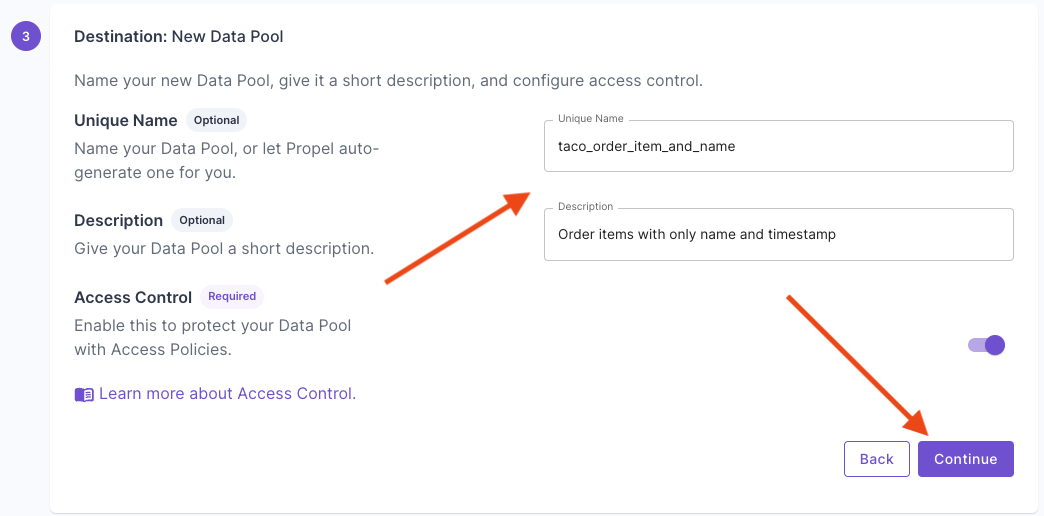
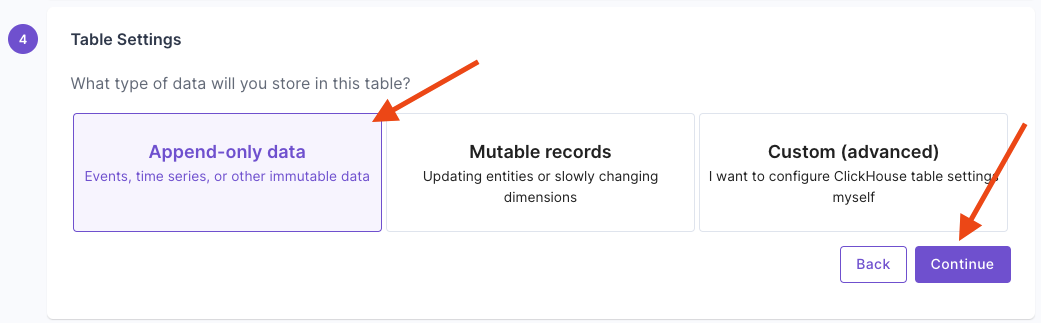
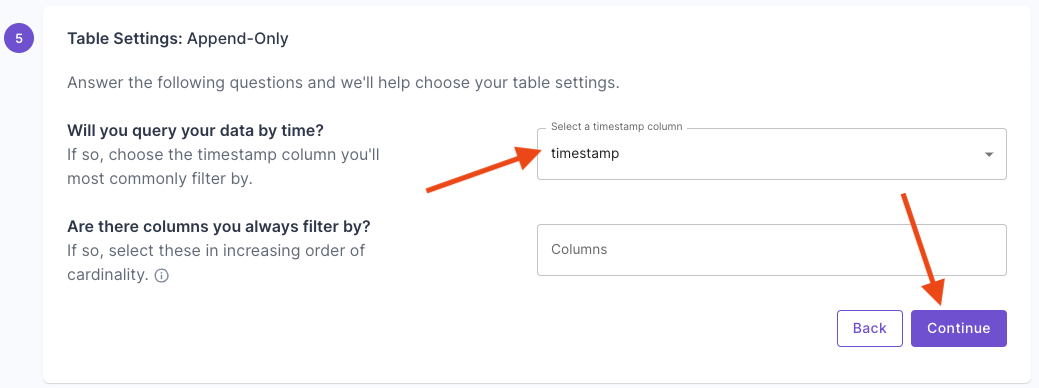
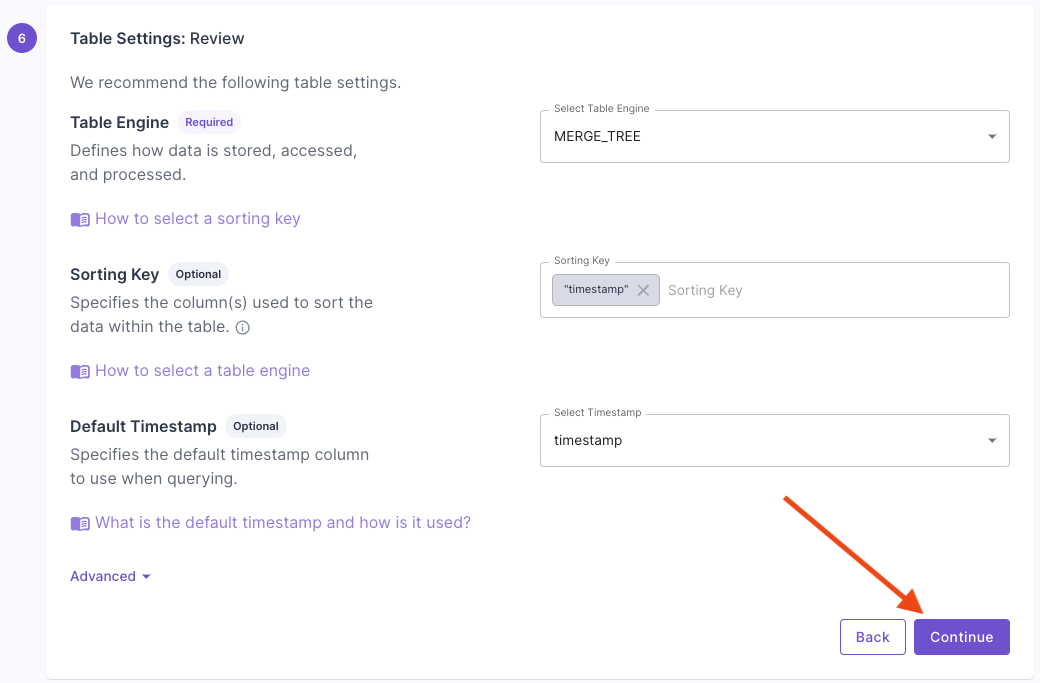
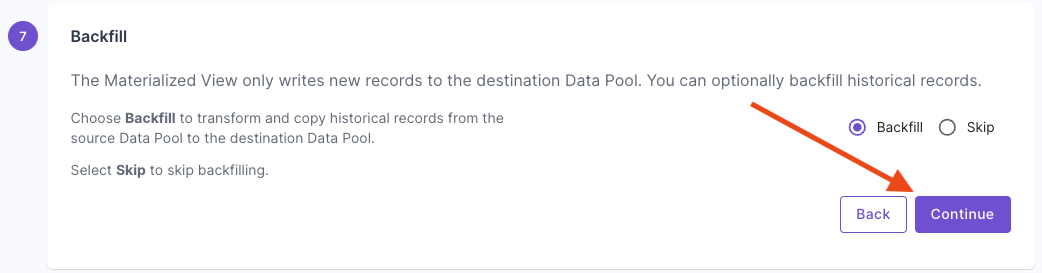
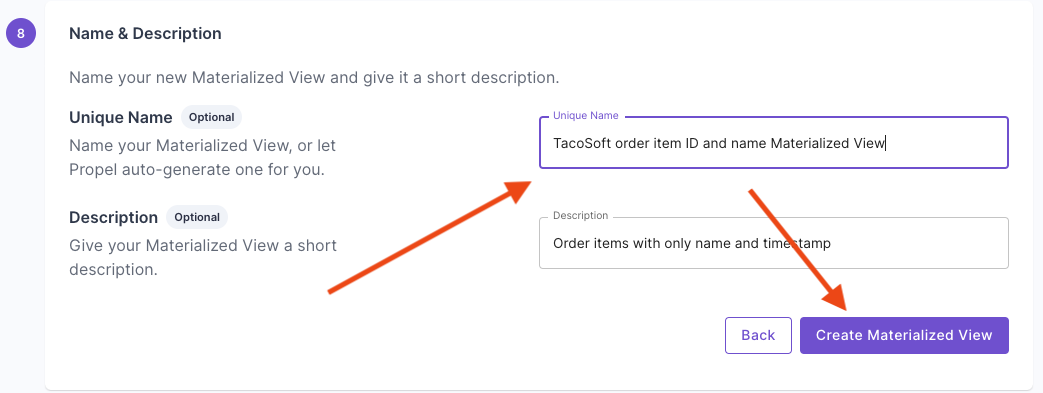
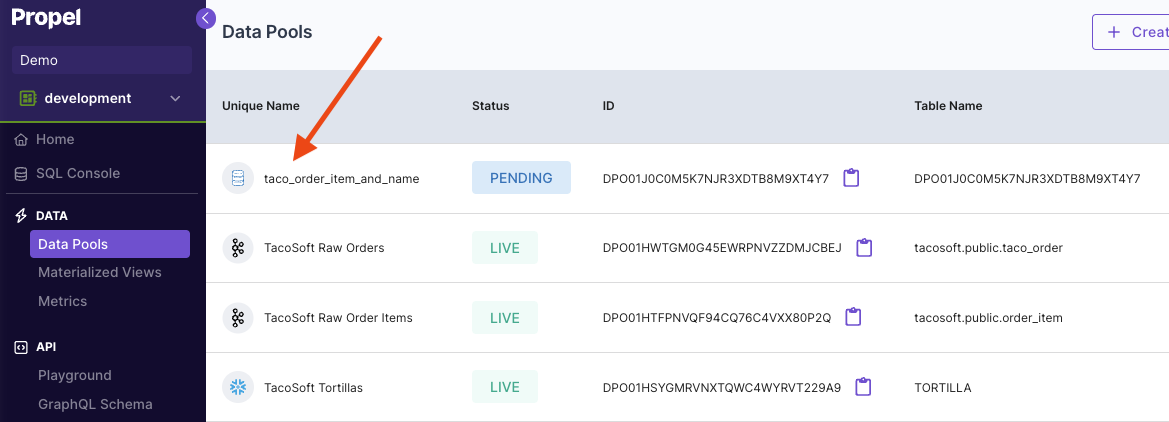
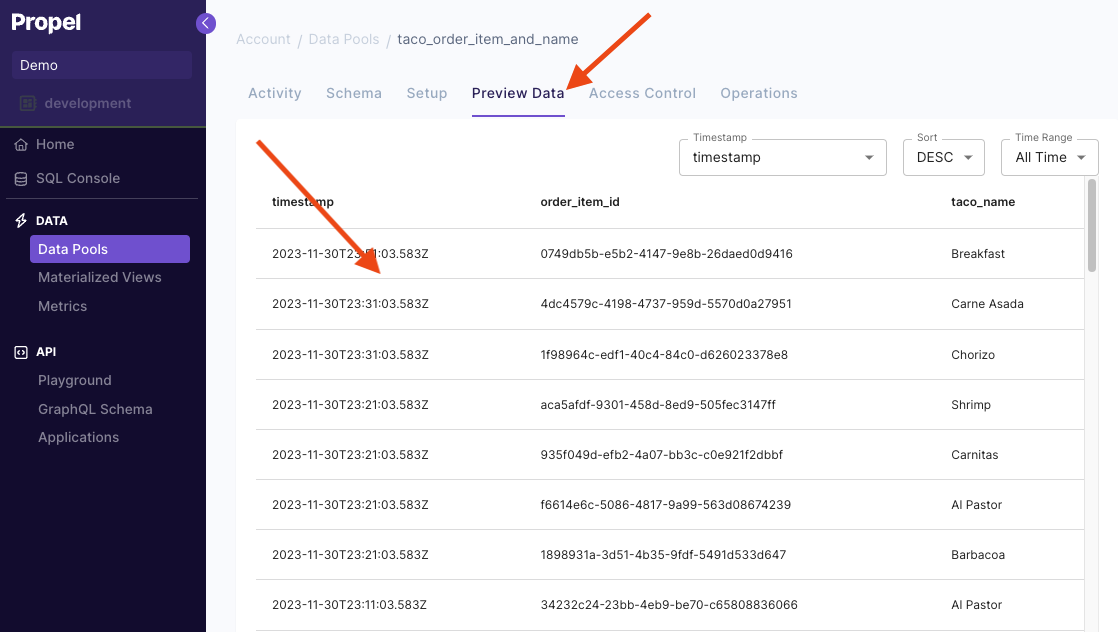
To start, go to the “Materialized Views” section of the Console, then click on “Create new Materialized View”.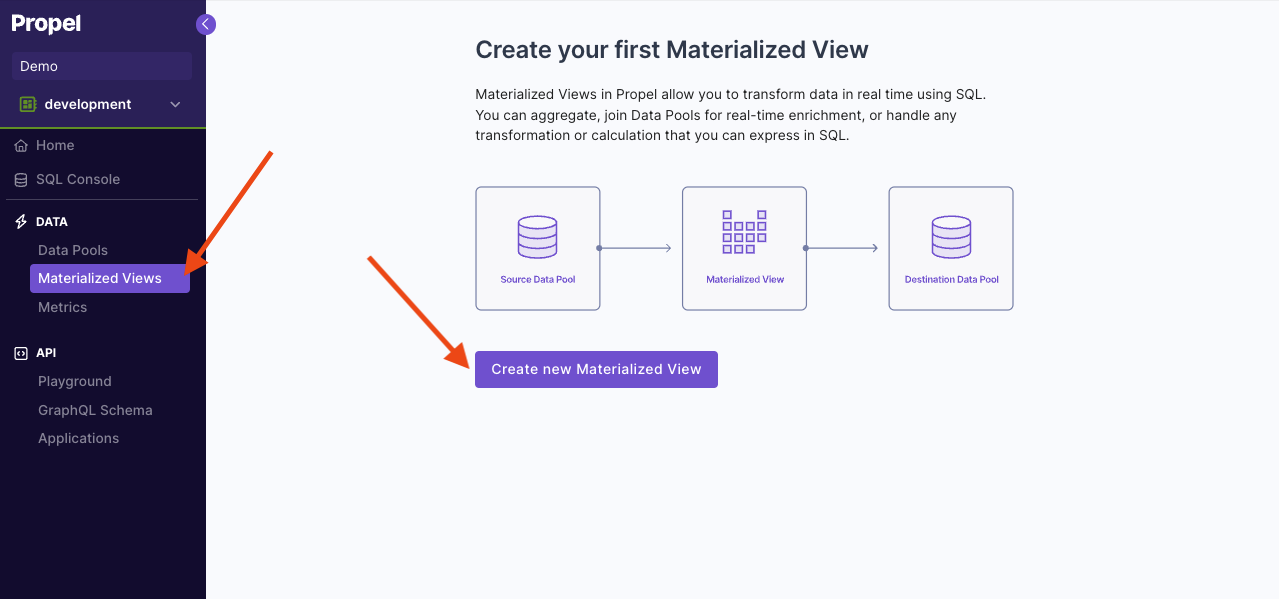
Materialized View examples
In this section, we will provide examples of common use cases solved with Materialized Views. For all the examples, we’ll use a source Data Pool calledevents with two columns:
_propel_received_at(TIMESTAMP)_propel_payload(JSON)
_propel_received_at and _propel_payload columns. Then click on the Data Pool, click on “Schema” tab and paste the event below to create sample records.
The JSON events in the _propel_payload column are of the form:
Example 1: Flatten nested JSON into tabular form
The following Materialized View flattens the JSON into individual columns. In Propel, you can access nested JSON keys by using dot notation, as shown in the example below. We are also using theparseDateTimeBestEffort function to parse the timestamp from a string to ClickHouse timestamp.
- SQL
- API
- Terraform
Example 2: Flatten JSON array into individual rows
The following Materialized View flattens a JSON array into rows. Given a tableTacoOrders with the following schema:
- SQL
- API
- Terraform
Example 3: Combines data from multiple source tables through JOINs
Given an additional tablestores with two columns,
- SQL
- API
- Terraform
Example 4: Calculates new derived columns from existing data
This Materialized View calculates the total price multiplying thetaco_count times the price column.
- SQL
- API
- Terraform
Example 5: Perform incremental aggregations
The Materialized View below incrementally aggregates the number of tacos sold and sales bycustomer_id and month. This Materialized View uses the SummingMergeTree table engine to incrementally aggregate rows as they are written. To learn more, read our guide on How to select a table engine and sorting key.
- SQL
- API
- Terraform
Example 6: Sorts rows with a different sorting key
The Materialized View below creates a destination Data Pool with a different sorting key. It sorts the rows by thecheckout_time column instead of the _propel_received_at column of the source Data Pool.
- SQL
- API
- Terraform
Example 7: Filters out unnecessary data based on conditions
The Materialized View below filters out rows older than 2024.- SQL
- API
- Terraform
Example 8: Deduplicating rows
The Materialized View below flattens and deduplicates events. It uses the ReplacingMergeTree table engine to duplicate events with the same sorting key. To learn more, read our guide on How to select a table engine and sorting key.- SQL
- API
- Terraform
Frequently asked questions
What is the difference between materialized views and views?
What is the difference between materialized views and views?
In ClickHouse, a view is a virtual table based on the result set of a SELECT statement. It is used to simplify complex queries by breaking them up into manageable parts. A view always shows up-to-date data—the query is run every time the view is referenced in a query.On the other hand, a Materialized View is a persisted version of a SELECT query’s result set, which is automatically updated when the data underlying the query changes.
Do Materialized Views transform data in real-time or on a schedule?
Do Materialized Views transform data in real-time or on a schedule?
Materialized Views in ClickHouse transform data in real-time. Whenever new data is inserted into the source Data Pool, the Materialized View is automatically triggered to transform the new data and write the results to the destination Data Pool.
How much do Materialized Views cost?
How much do Materialized Views cost?
Materialized Views do not have a cost per se, but they incur data write costs just like any other Data Pool. Similarly, the destination Data Pools consume storage just like any other Data Pool.
What happens if I delete a Materialized View?
What happens if I delete a Materialized View?
If you delete a Materialized View in Propel, new data will stop being inserted into the destination Data Pool. The destination Data Pool associated with it will not be automatically deleted.
Can a Materialized View be modified?
Can a Materialized View be modified?
In ClickHouse, Materialized Views cannot be directly modified. If you need to change the fields or the query, you would need to create a new Materialized View.
What happens if I update or delete data in the source Data Pool with the update or delete API?
What happens if I update or delete data in the source Data Pool with the update or delete API?
Data deleted or updated with the Batch update or delete API will not trigger the Materialized View and will not be propagated to the destination Data Pool.