Propel offers easy-to-use APIs to safely perform non-breaking schema changes. You can add columns to your Data Pool using the API or Console. For column deletions, modifications, and data type changes you need to create a new Data Pool and copy the data over.Documentation Index
Fetch the complete documentation index at: https://www.propeldata.com/llms.txt
Use this file to discover all available pages before exploring further.
Adding a column to a Data Pool
Propel provides an “Add column” operation that safely adds a column to a Data Pool.- Console
- API
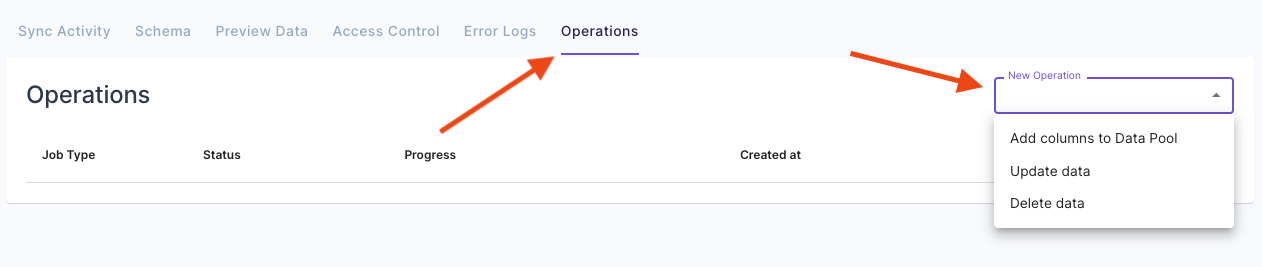
To add a column to a Data Pool, go to the “Operations” tab and select “Add column to Data Pool”.
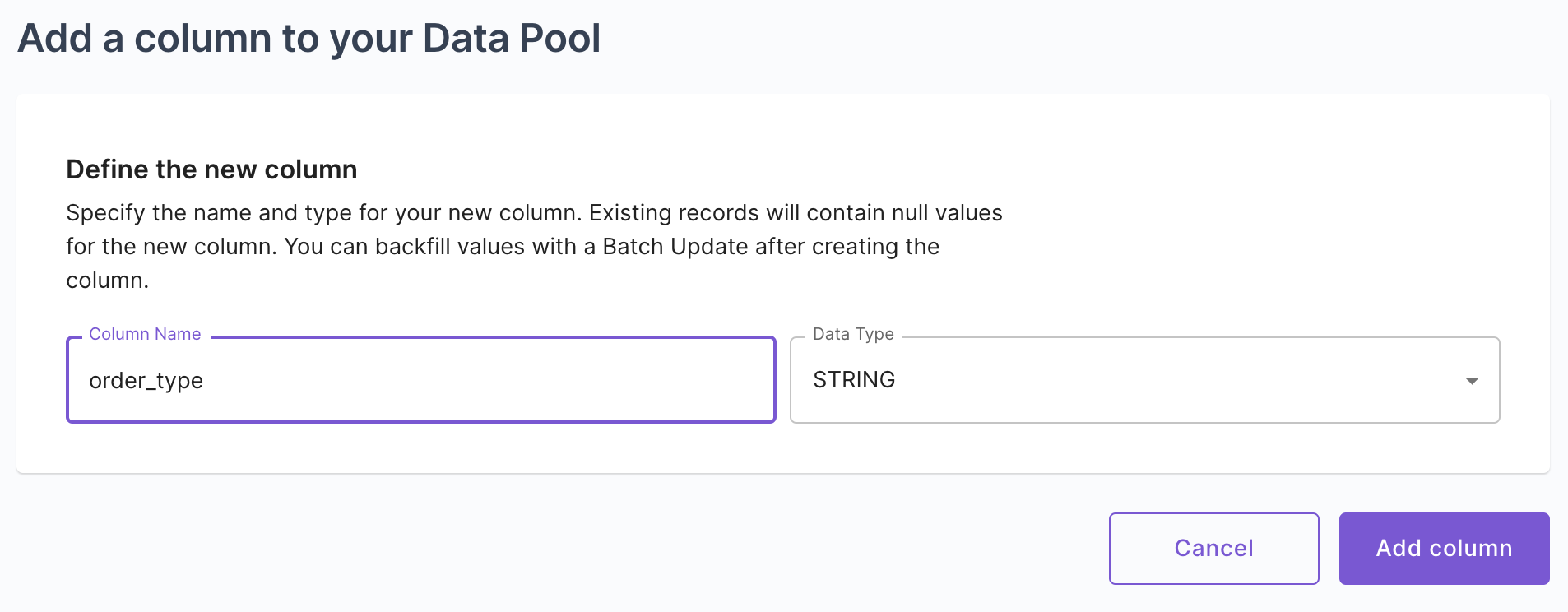
Then, you can specify the column to add by giving it a name and a data type.
Clicking “Add column” starts an asynchronous operation to add the column to the Data Pool.


The duration of this process depends on the size of the Data Pool. Whether the job is created via the Console or API, you can monitor the progress on the Data Pool’s “Operations” tab.
