API Arguments
The table below describes the input parameters for thecreateDataPoolV2 API.
Table settings
The table settings define how the table is created in ClickHouse. To learn more about table engines, read our guide on How to select a table engine and sorting key.Creating tables with TTL
You can configure Time-To-Live (TTL) settings for your Data Pool to automatically manage data lifecycle. TTL allows you to:- Delete old data after a specified time interval
- Roll up aging data into aggregations before deletion
TTL syntax
Example TTL expressions
A table that deletes data after 12 months:error:
- The TTL clause must be a prefix of the primary key. Therefore, you need to add
toStartOfDay(created_at)to the sorting key. - Your Data Pool needs to have the columns
event_countandsum_quantityto store the aggregated results. - You need to set the following default column values for the aggregations to work:
event_countto1sum_quantitytoquantity
Examples
Example 1: Create a MergeTree table
This example shows how to create a Data Pool using the API and Terraform.- API
- Terraform
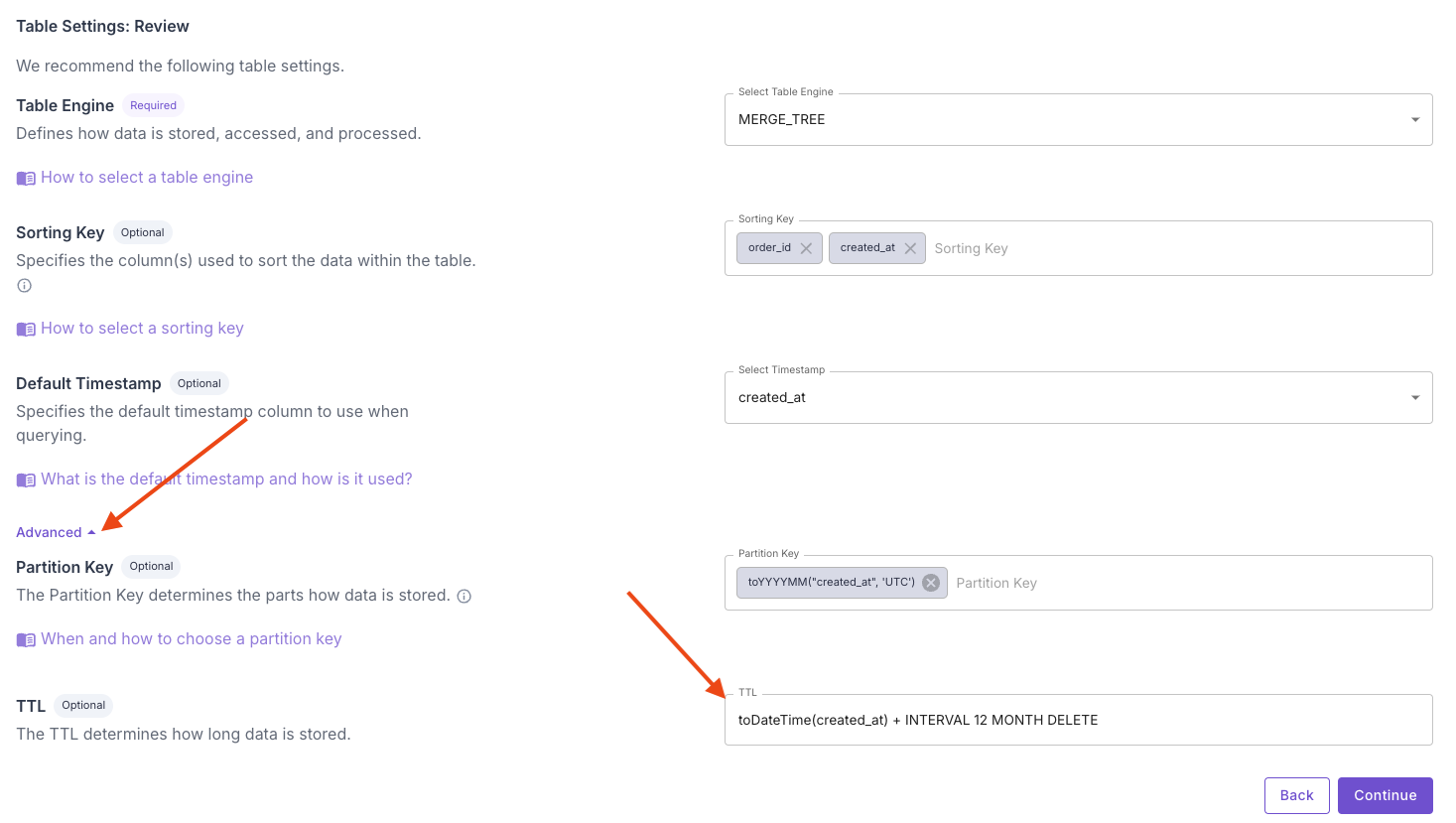
Example 2: A table that deletes data after 12 months
- Console
- API
In the “Table settings” step of the Data Pool creation wizard, click “Advanced”, and you can set the TTL for your Data Pool.