

Step 1: Create a representative query
To accurately assess Propeller performance, you need to create a query that closely represents your production workload. To create a representative query:1
Query a representative Data Pool
Choose a Data Pool with the same number of records as your production environment:
- This ensures your test accurately reflects real-world performance.
2
Compose your query
Use the appropriate tool to create your query:
- For GraphQL API queries, use the API Playground.
- For SQL queries, use the SQL Console.
3
Include necessary filters and operations
Ensure your query includes all elements typical to your use case:
- Add WHERE clauses or filter arguments that match your typical queries.
- Include any JOINs or complex operations you regularly use.
Step 2: Test different Propeller sizes
Now that you have a representative query, it’s time to evaluate different Propeller sizes:1
Start with the smallest Propeller size
Begin with
P1_X_SMALL- If response time is acceptable for your use case, you’re all set
- If the query times out or takes too long, proceed to the next step
2
Incrementally test larger Propeller sizes
- Select the next size up of Propeller
- Click “Run Query”.
- Repeat until you achieve your desired response time without timeouts
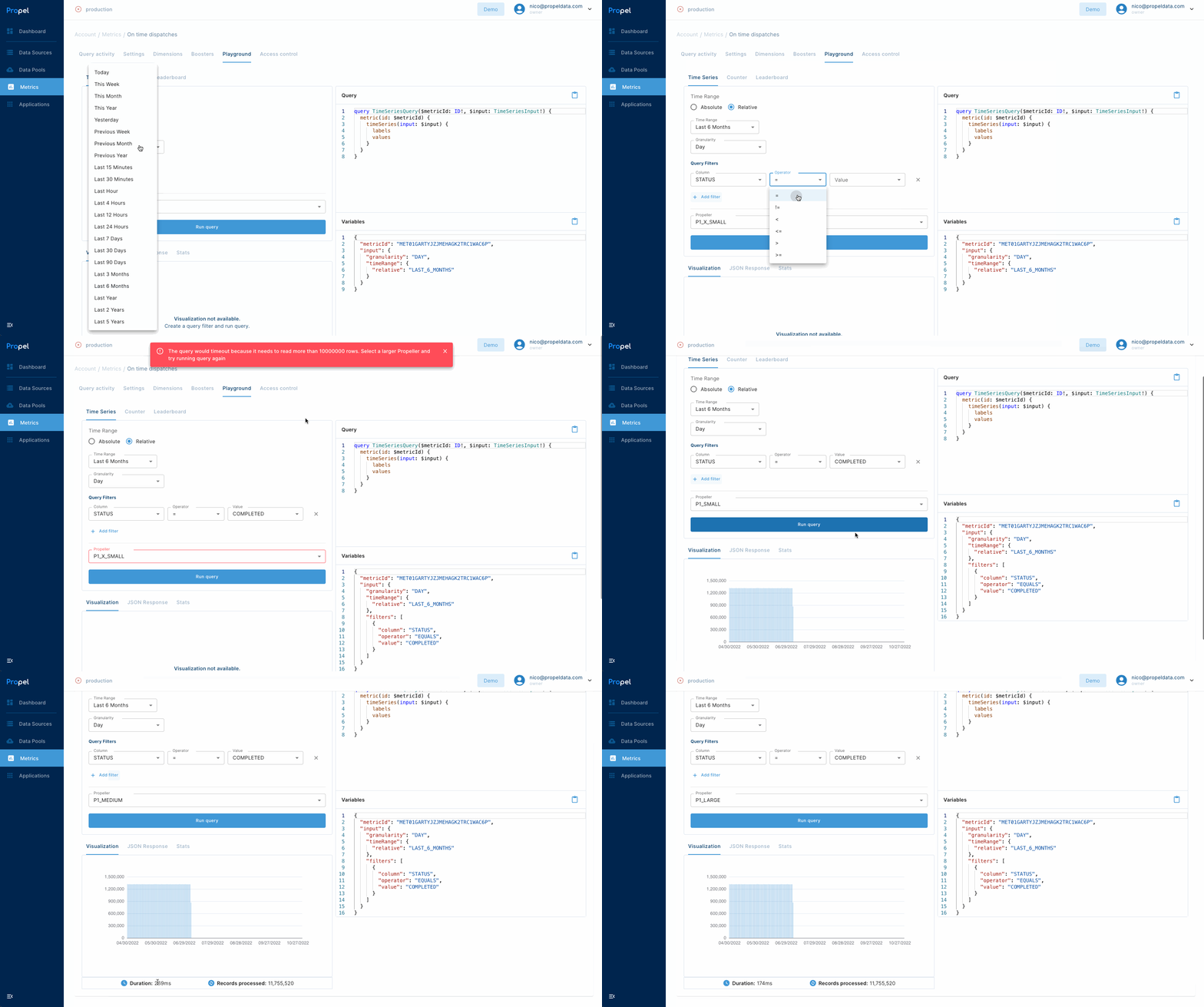
Selecting Propeller size
3
Evaluate results
- If the response time is appropriate for your use case, you are good to go. You don’t need more query compute power for your app.
- If the query timed out or took too long, return to the previous step and try a larger Propeller size.